A twibbon is a frame people put on their own photo to show they support an event, a cause or a brand. The organizer creates the frame and shares a link; each participant opens the link, uploads a photo, downloads the finished image and posts it. Twibbonize is a platform built to create these frames. Vecsy Cards does the same with a whole card: besides the photo, it carries each person's name, job title or date, and shows how many people opened and downloaded it.

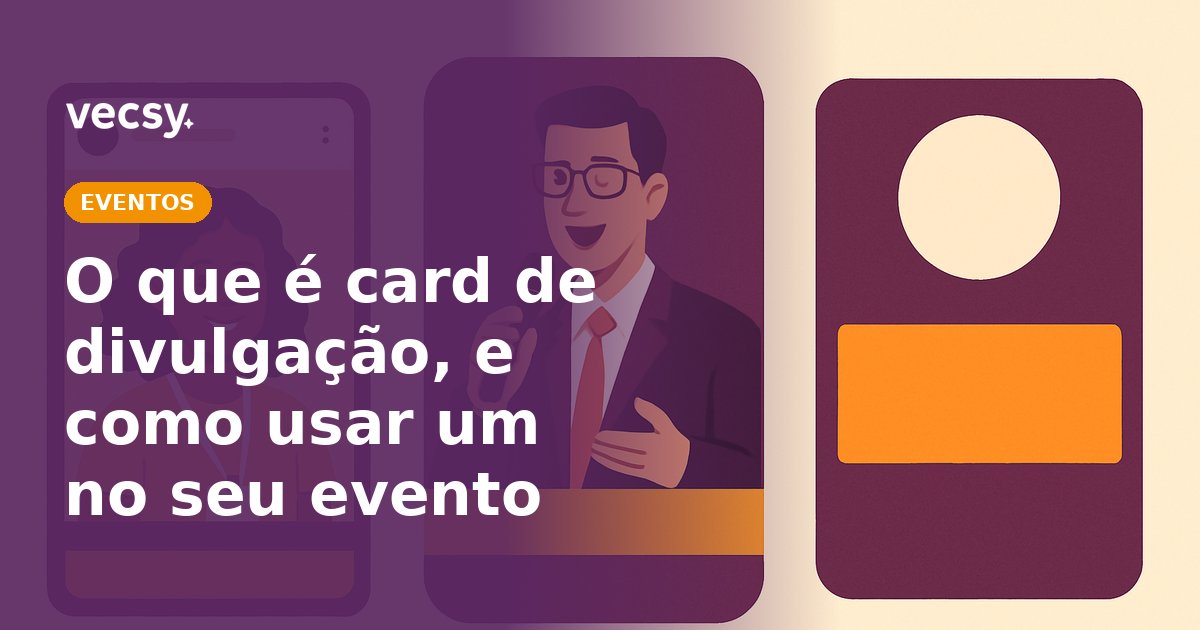
Speaker card for a fictional event. The photo, name and job title change for each person; the rest of the design is the same for everyone.
If you want to see this with your own event's design, see how Vecsy Cards works. Below: where the word twibbon comes from, how it works, what Twibbonize is, when each one is the better fit, and the steps to make your own.
Where does the word twibbon come from?
It blends Twitter and ribbon. It started as a service that added a small cause ribbon to your Twitter profile picture, like the pink ribbon of Breast Cancer Awareness Month. Over time, the word became the generic name for any campaign frame placed over someone's photo, on any social network.
So when someone says twibbon, they may mean one of three things: the frame itself, the link where people apply the frame, or the platform that creates that link.
How does a twibbon work?
- The organizer designs the frame: a PNG with a transparent area in the middle, where the photo goes.
- The frame goes to a platform, which creates a campaign link.
- The link gets around: a WhatsApp group, an email to attendees, the Instagram bio, the event website.
- Each person opens the link, uploads a photo, adjusts the crop and downloads the image.
- They post the image to their feed or stories, or make it their profile picture.
What you are after is social proof: each participant's followers see the event's brand on the profile of someone they know, not in an ad. For an event, it becomes the "I'm going" post; for a cause, public support; for a brand, a launch or an anniversary.
What is Twibbonize?
Twibbonize is a platform only for creating and sharing twibbons. You upload the frame, give the campaign a title and a description, and get a link. Whoever opens the link fits their own photo into the frame, downloads it and shares it.
If you searched for "what is Twibbonize", the short answer: it is the site where a frame becomes a campaign. Its core format is a frame over a photo; what changes from one person to the next is the photo.
Twibbonize or Vecsy Cards: what is the difference?
At their core, both do the same thing: people personalize a design and post it. The difference is in what goes into the design and in what you can track afterwards.
Where Twibbonize is the better fit
- A simple frame at no cost. For a cause with no budget, a PNG frame and a free link are enough.
- Less setup. There are no fields to define: you upload the frame and publish.
- People already know the format. In many communities, "twibbon" is the word people already search for, and Twibbonize lists public campaigns on its own site.
Where Vecsy Cards is the better fit
- The card carries more than the photo. You choose the fields people fill in: name, job title, company, city, date. That is what makes a speaker card, an "I'm going" card with the person's name, a digital event badge or a certificate of attendance.
- Several designs in one link. A single page holds the attendee card, the speaker card and the sponsor card, and each person picks theirs.
- A ready-made caption. You write the caption and hashtag that go with the image, and people just copy them.
- Numbers for each card. The dashboard shows opens and downloads per card, so you know whether the campaign is picking up before the event happens.
- Your brand, not the platform's. On paid plans the card has no watermark. On the PRO plan, the generator page can carry only your brand and live inside your own website or app.
- Many cards at once. On the PRO plan, batch generation creates each speaker's or sponsor's card from a spreadsheet or through the API, without anyone opening the editor.
- Photos are not kept. Vecsy does not store the uploaded files; the data used to generate the card is deleted after generation.
When should you use a frame, and when a card?
A rule of thumb that works: look at what changes from one person to the next.
- Only the photo changes: a frame will do. Support for a cause, a holiday, a one-day campaign. Twibbonize or Vecsy, it comes down to price and whether you need the numbers.
- The photo and the text change: you need a card. The speaker's name and title, the attendee's name on the "I'm going" card, a candidate's number, a student's name on a certificate. A frame on its own cannot write anyone's name.
- Nothing changes: it is neither a twibbon nor a card. It is a single design, made once in Canva, that people repost.
At corporate events, the second case is the rule: speakers, sponsors and attendees all post, and each group needs a design with their own name on it.
How to make a twibbon, step by step
Steps 1 to 3 work on any platform. Steps 4 to 6 are in Vecsy Cards.
- Pick the format. 1080 x 1080 px for the feed and the profile picture; 1080 x 1920 px for stories. If you will use both, make two designs.
- Design the frame. In Canva, Figma or Photoshop. Leave the photo area transparent and export as PNG, the format that keeps transparency.
- Test it with three photos. A close-up selfie, a full-body photo and a dark photo. If the face disappears behind the frame in any of them, make the open area bigger.
- Sign up for the Vecsy free trial. No credit card required.
- Build the card. Pick a template from the library or start from scratch, with the event's colors and logo. Then choose the fields people fill in: the photo and, where it makes sense, name, job title or date.
- Publish and share the link. Write the suggested caption, publish, and send the link to the people who will post. Track opens and downloads on the dashboard.
If yours is an event, create your event's card on Vecsy and test it with your own photo before you send the link to attendees.
What is the most common mistake when making a twibbon?
A frame that covers the face. Profile pictures show up as a circle on Instagram, WhatsApp and LinkedIn, and whatever sits in the corners gets cut off. The result is half a logo and a face hidden behind a banner.
To avoid it, keep the face in the center with room to spare, put the text and logo in a strip at the top or bottom, inside the circle, and test the final image as a profile picture before you share it.
The second mistake is sharing the link without a caption. People who download the image post it without the hashtag, and you lose track of the campaign.
How much does it cost?
On Twibbonize, creating a simple frame is free, and paid plans remove the ads from the campaign page and unlock extra features.
On Vecsy Cards, the free trial gives you 1 active card and up to 100 downloads, with a "Created with Vecsy" watermark and no credit card. Paid plans remove the watermark and raise the number of active cards and downloads; prices are on the Vecsy Cards plans.
When not to use Vecsy Cards
- The campaign is for one person, or for a small group whose designs you can make yourself in Canva in half an hour.
- The frame is for a single day, carries no brand, and you do not need to know how many people downloaded it: a free frame platform will do.
- You want video. Vecsy Cards makes images (PNG, and PDF on the PRO plan), not video.
Read next