A share card is a ready-to-post image, sized for social media, that announces an event, a course or a campaign and is made for other people to share. The difference from a regular post is who publishes it: a post comes from the brand's profile, and a share card comes from the profiles of the people who are going, speaking or supporting. When the card carries that person's photo and name, they post it as their own, and the event reaches the people who trust them.

Three “I'm going” cards for a fictional event, Vecsy Summit, made with Vecsy from the same template (the text on the cards is in Portuguese). The design is the same for everyone; only the photo changes.
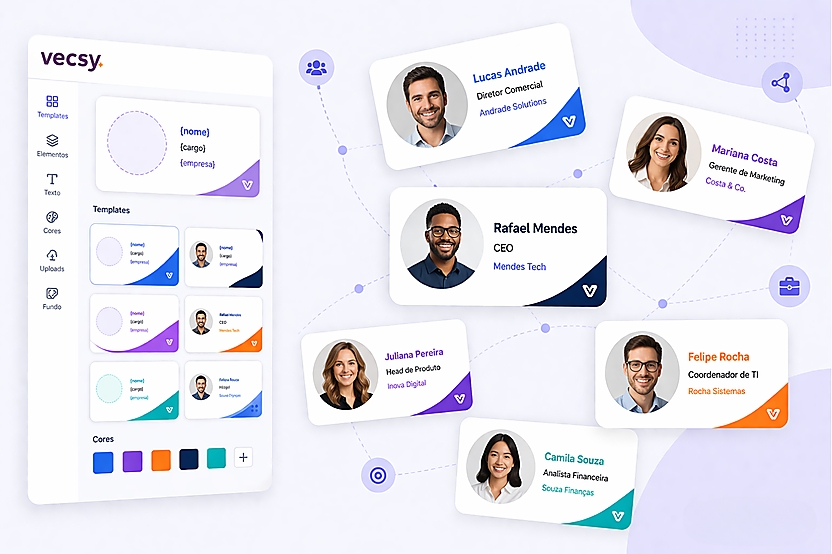
At Vecsy, a share card works like this: the organizer sets up the design once, marks the fields that change (photo, name, job title) and sends out a link. Each person opens the link, fills in the fields and downloads an image ready to post. If you want to see it with your own event's design, see how a share card made with Vecsy works. If you're planning your whole promotion, with channels and a calendar, start with the guide to event promotion.
What does share card mean on social media?
On social media, a card is an image with little text that you get at a glance: the event name, the date, the place and a call to action. “Share” says what it's for: taking the event or the campaign beyond the people who already follow the brand. You'll also see it called a promo card or an event badge.
A share card has four parts:
- The event design, the same for everyone: colors, logo, name and date.
- A part that changes for each person: photo, name, job title, company. That's what makes people want to post it.
- A short first-person line, such as “I'm going”, “I'm speaking” or “I support”. Whoever posts it signs that line.
- The network's format: square or portrait for the feed, full-screen vertical for Stories and WhatsApp Status.
Without the part that changes, the card becomes a one-size-fits-all graphic. It works for the event's own profile, but the people who receive it have little reason to put something on their profile that isn't about them.
What types of share cards are there?
Each group at an event has a different reason to post, and each reason calls for its own card. These are the types we see most at Vecsy.
The attendee's “I'm going” card
It's the card in the three examples above. The attendee uploads a photo and posts that they're going. The time to ask is right after registration, when the person has just decided to go. The step-by-step is in how to create and share your event's “I'm going” card.
Speaker card

Speaker card for a fictional event made with Vecsy. The photo, name and job title change for each speaker; the rest of the design is the same for all of them.
The speaker posts “I'm speaking” to their own network, which tends to include people from the event's field. One card per speaker, all with the same design, also makes the event's own profile read like a lineup.
Sponsor or partner card
It's the same template, with the company logo in place of the photo and a line such as “we're supporting the event”. The sponsor posts it to their own customers, and their brand shows up next to the event's.
Certificates and after-event cards
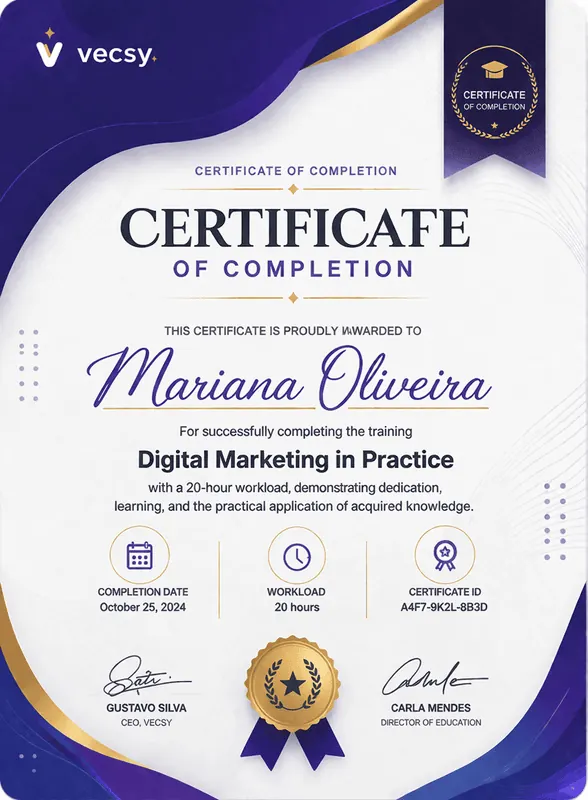
Certificate of completion for a fictional course, made with Vecsy. The name changes for each student; the rest comes from the template.
After the event or the course, the line changes: “I went”, “I completed”, the certificate with the person's name. Whoever posts it is showing an achievement, and whoever sees it hears about the next class or the next edition.
Campaign or cause card
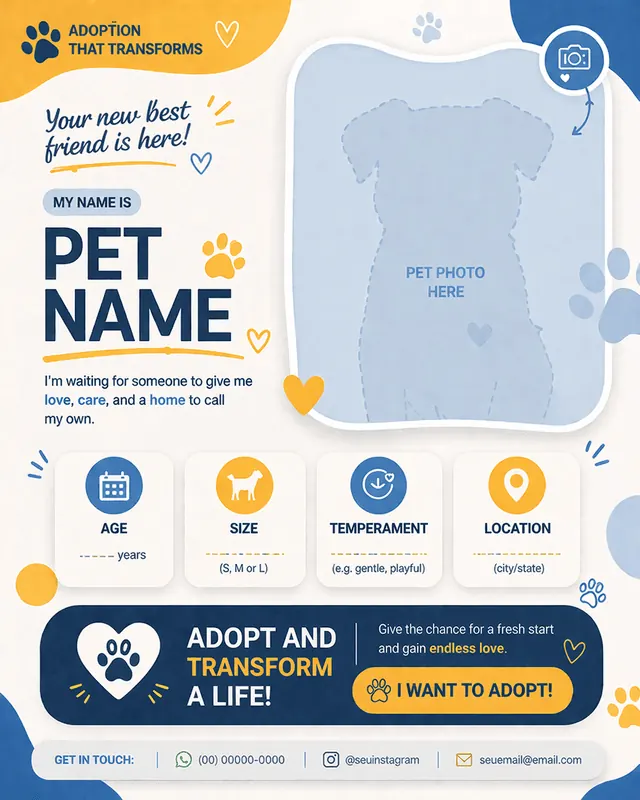
Pet adoption card template made with Vecsy, not yet filled in. The marked spaces (name, photo, age, size) are what changes on each card.
Outside events, the logic is the same: a shelter promoting pets for adoption, a fundraising campaign, an “I support” card for a cause. The image above shows the card the way the organizer sees it: the design ready and the fields marked to fill in.
Card, post or flyer: which one should you use?
All three are images, and the same design can become all three. What changes is who publishes it and what the piece has to carry.
- Post: the brand talking to the people who already follow it. One piece, one profile, one publication. Use it to announce, remind people of the date and show what goes on behind the scenes.
- Flyer: the piece to read carefully or print: schedule, price, address, map. Use it when people need everything in one place. It's about the event, not about whoever receives it, so it rarely travels beyond the event's own channels.
- Share card: the audience talking about the event. Little text, the face of whoever posts it, and the same design for everyone. Use it when you want attendees, speakers and partners to post.
Two questions settle it:
- Who is going to post it? If it's only the event's profile, make a post. If the piece will be printed or sent to be read, a flyer. If it's the people at the event, a card.
- Does the piece change for each person? If it doesn't, a single graphic made in Canva does the job. If it does (photo, name, job title), you need a template with fields that each person fills in on their own.
What about a frame, the twibbon? It's a card where only the photo changes, inside a branded border. It works for causes and profile-picture campaigns; when you want a name, a job title and a date on the card, it falls short. The comparison is in what is a twibbon, how to make one, and Twibbonize vs Vecsy Cards.
What mistake keeps a share card from being posted?
A common mistake is making the event's card instead of the person's card: a design with the logo, date and venue, the same for everyone, sent with a “please share!”. The people who receive it have no reason to put something on their profile that isn't about them. To avoid it, put the photo or the name of whoever posts on the card, with the line in the first person.
Three things help the card leave the phone of whoever downloaded it:
- Cut the text. The card isn't the flyer, and the full schedule won't fit. Event name, date, venue and the poster's line are enough; the rest goes in the caption and the registration link.
- Send the caption with it. People who download the image without a caption post it without the hashtag and without the registration link. With the caption ready, they just copy it.
- Test it on a phone before you send the link. Open the card the way it will show up in the feed and in Stories. Small text, or text over the photo, gets lost on the screen.
How do you get a share card for your event?
It takes three steps: set up the design with the fields that change, send the link with the caption ready, and keep track of who downloaded it. At Vecsy, the dashboard shows how many people accessed and downloaded each card, so you know whether the campaign is moving before the event day. You can try it with your own event on the free trial: 1 active card and up to 100 downloads, with the “Created with Vecsy” watermark, no credit card required.
The step-by-step, with a template you adapt to your event, is in how to make the event card every attendee posts.
When shouldn't you use a share card?
- The event is closed or confidential. A board meeting, a launch under embargo, an internal event. A direct invitation does the job, and a public post gets in the way.
- There are only a few guests. With twenty names, a personal message to each one does more than any card.
- The piece doesn't change from one person to the next. A single graphic, made once and reposted, does the job. You don't need a card generator.
- You want video. Vecsy Cards generates images (PNG, plus PDF on the PRO plan), not video.
Read next