Event promotion happens on three fronts: the channels you own (your attendee list, the event profile, your website), the channels of people who already gather your audience (ticketing platforms, communities, speakers and sponsors), and the audience itself, posting that they're going. The first two depend on your effort. The third grows with every registration, because each person who posts takes the event to the feed of people who trust them. Below you'll find the channels for promoting an event, a week-by-week calendar, and how to pick the right channel for your type of event.
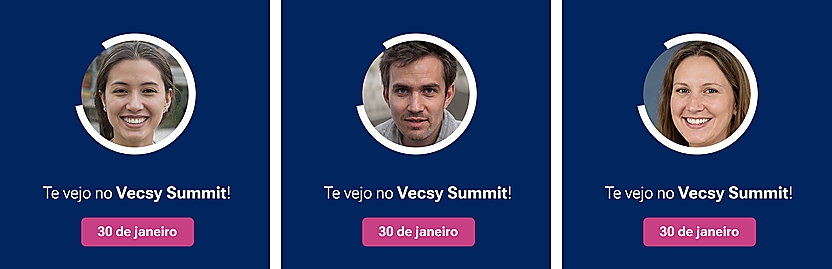
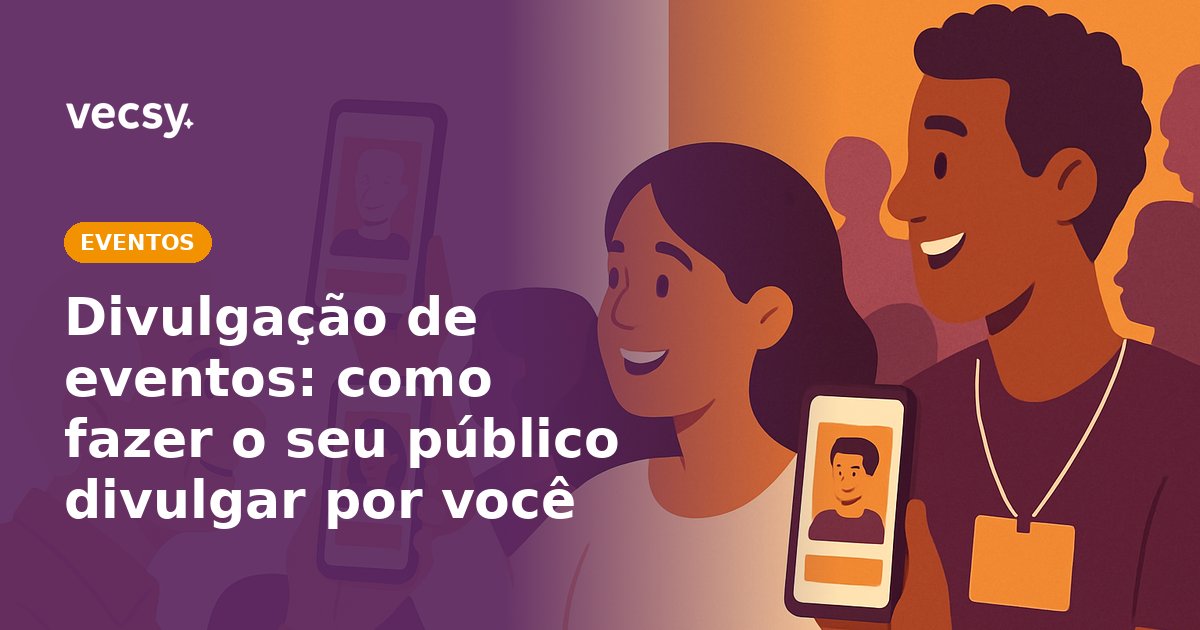
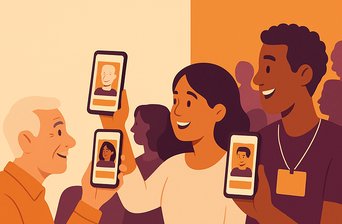
Three “I'm going” cards for a fictional event, Vecsy Summit, made with Vecsy from the same template (the text on the cards is in Portuguese). The design is the same for everyone; only the photo changes.
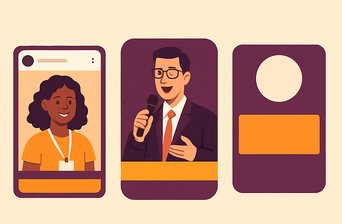
The piece that gets your audience to promote the event is a share card like this one. The organizer sets up the design once; each attendee opens a link, uploads their own photo and downloads an image ready to post. If you want to see it with your own event's design, see how an “I'm going” card made with Vecsy works.
What are the channels for promoting an event?
There are four groups. It's worth knowing all of them before you build your calendar, because each one has a different cost and timing.
1. The channels you own. Your email list of past attendees and customers, the event or brand profile on social media, your website with the registration page, and your WhatsApp broadcast list or community. You control what goes out and when. The limit is size: these channels only reach people who already know you.
2. The channels of people who already gather your audience. Ticketing and event platforms, such as Eventbrite and Meetup, where people look for things to do. Communities and groups around your topic. Associations, schools, coworking spaces and partner companies. Event listings and trade press. Here you're using someone else's audience, so you need to give them a reason and the material ready to go.
3. The people in the event. Speakers, sponsors, exhibitors and your own team. Each of them has their own network, and all of them want the event to succeed, because their name is on it. This is the easiest group to activate and the most often forgotten: many events announce a speaker on the event profile and never ask the speaker to post.
4. The audience. People who registered, people who came to the last edition, people on the waiting list. Each person who posts “I'm going” shows the event to colleagues, friends and followers who are a lot like them. This channel costs nothing in ads and grows along with registrations.
Paid ads (on Instagram, LinkedIn, Google) sit on top of these four and aren't the subject of this post. If you're going to run ads, start once the four groups are already working: the ad then has something to show, like confirmed speakers and people posting that they're going, not just a date.
What changes when your audience promotes the event?
Deciding to go to an event is a social decision. Before buying a ticket, people want to know who else is going, whether it's worth a day away from work, whether they'll run into someone they know. A post from the event profile answers “what is it”. A post from a colleague answers “who's going”, and that's something the event profile can't say on its own.
Three things change when the audience is the one posting:
- The event shows up in a place people trust. Someone who sees the card in a colleague's feed isn't looking at an ad. They're seeing someone they know saying they're going.
- Each post reaches a different network. The event profile always talks to the same followers. A hundred attendees who post talk to a hundred networks, and many people in them have never heard of your event.
- Promotion grows with registrations. Each new registration is one more person who can post, at no ad cost.
The catch is that nobody posts just because you asked. People post when the piece is theirs, with their photo and name, when the image looks good on their profile, and when posting takes less effort than ignoring the request. That's what the next section is about.
How do you get your audience to promote your event?
Writing “please share!” in the confirmation email leaves all the work to the attendee: figuring out what to post, finding an image, writing a caption. The more work you leave to them, the fewer people post. At Vecsy, we recommend taking that work out of the way on five fronts.
- Give them a ready-made piece with their face on it. A card with the event design, the person's photo and, where it makes sense, their name, job title and company. A generic graphic belongs to the event. A card with the person's photo belongs to them, and that's what they want to show.
- Ask right after they register. The thank-you page and the confirmation email are the right moment: the person has just decided to go and the event is still on their mind.
- Write the caption and the hashtag. People who download the image without a caption post it without the hashtag and without the registration link. With the caption ready, they just copy it.
- Make one piece for each group. Attendees post “I'm going”. Speakers post “I'm speaking”. Sponsors post the card with their company logo. Each group has a different reason to post, and a design for each one makes that clear.
- Give an extra reason, if you need one. A discount for bringing a friend, early access, a gift for whoever brings the most people. At that point you're running a referral program.
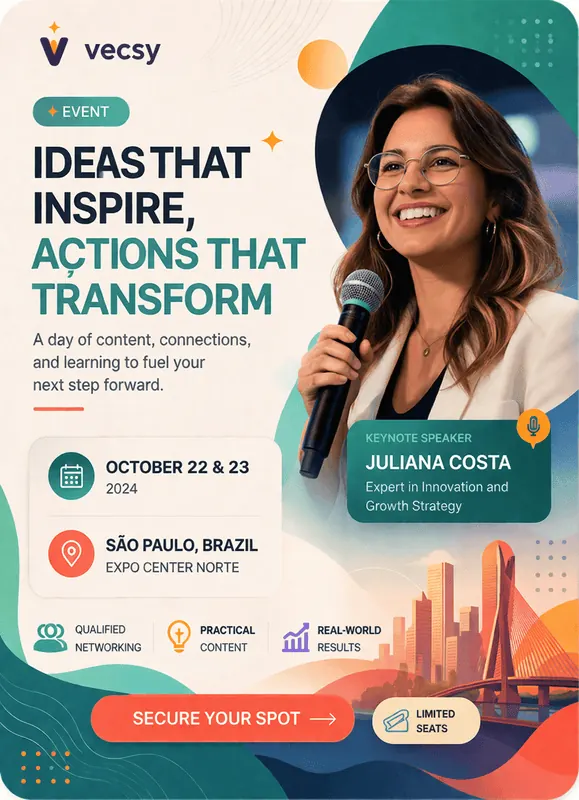
Speaker card for a fictional event made with Vecsy. The photo, name and job title change for each speaker; the rest of the design is the same for everyone.
In practice, a single link holds everything. The person opens it, picks the card (attendee, speaker or sponsor), uploads a photo, fills in the fields and downloads the image, with the caption ready to copy. At Vecsy, the dashboard shows how many people accessed and downloaded each card, so you know whether the campaign is moving before the event day. You can try it with your own event on the free trial: 1 active card and up to 100 downloads, with the “Created with Vecsy” watermark, no credit card required.
The step-by-step for setting up the card is in how to create and share an “I'm going” card for your event.
Event promotion calendar: what to do each week
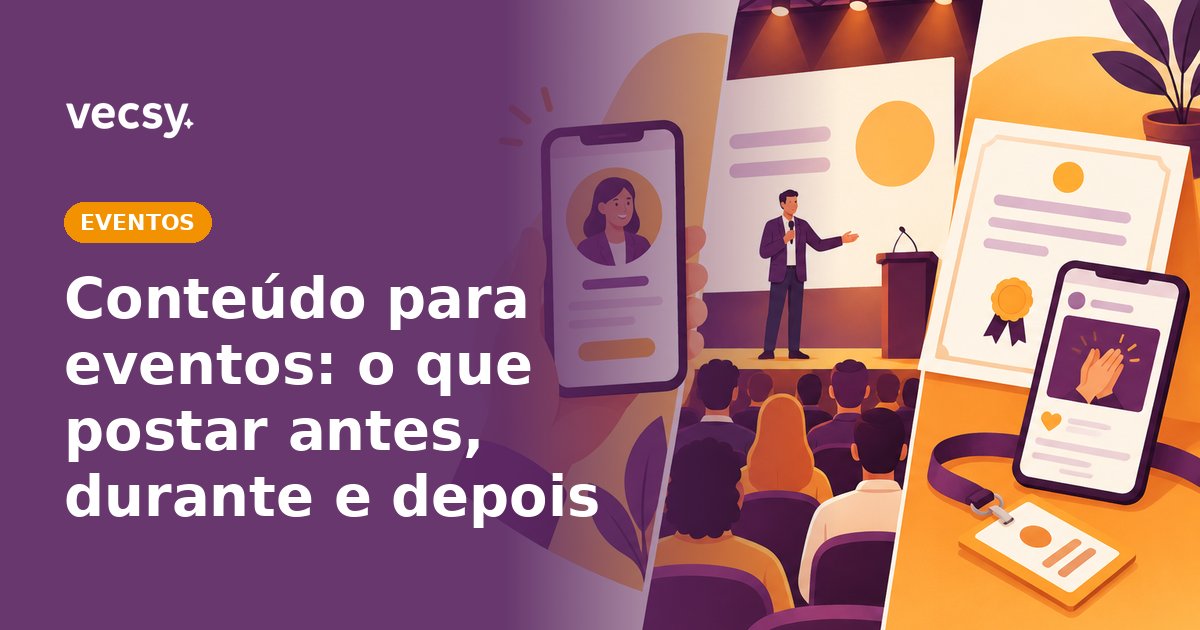
The calendar below is for an in-person event with six weeks of promotion, the lead time we suggest at Vecsy for an event with open registration. For a smaller event, compress the steps. For a large conference, stretch them. Keep the order: first the people who are already yours, then the people in the event and your partners, and the audience comes in as soon as there are registrations. What the event profile posts in each phase is in event content: what to post before, during and after.
Step 1: six weeks out, prepare what everyone will use
- Publish the registration page, with the date, venue, price and the first confirmed names.
- Pick the event hashtag: short, easy to type and not used by another brand (search for it before you choose).
- Set up the cards: “I'm going” for attendees, “I'm speaking” for speakers and one for sponsors. If you can, in two formats: square for the feed and vertical for stories. To build each one, see how to make an event card.
- Write the caption for each card, with the hashtag and the registration link already in it.
- Open registration to your own list first: past attendees and existing customers. These people tend to decide earlier and become the first to post.
Step 2: five weeks out, announce the speakers
- Publish one post per speaker on the event profile.
- On the same day, send each speaker the link to their card and the caption. Ask them to post where their audience is, on LinkedIn or Instagram.
- Ask them to tag the event profile too. That way you see the post and can reshare it.
Step 3: four weeks out, open “I'm going” to attendees
- Put the card link on the registration thank-you page and in the confirmation email.
- Send the link to people who registered before the card existed, too.
- List the event on ticketing platforms and on event listings for your topic.
- Reshare the first cards in the event's stories. It shows that people are already going and reminds other attendees that the card exists.
Step 4: three and two weeks out, activate sponsors and partners
- Send each sponsor their card and ready-made copy for the company newsletter and social media.
- Ask partners (communities, associations, schools) to share with their lists, with the material ready.
- Send your list some content about the event, not just the invitation: a short interview with a speaker, an annotated agenda, what's new since the last edition.
- Check the card downloads. If few attendees have downloaded it, send a reminder only to those who haven't, with the direct link.
Step 5: in the final week, run the countdown
- Publish a countdown card in the last few days.
- Make a last call to your list and to people who visited the page but didn't register.
- Send attendees the logistics email (address, time, check-in) with the card link again. It's a second chance for anyone who hasn't posted yet.
Step 6: on the day, keep the card one QR code away
- Put a QR code with the link to an “I'm here” card at check-in and on the screen during breaks.
- Set up a photo wall with the event branding and the hashtag.
- Have someone on the team resharing the stories of people who tag the event.
Step 7: the week after, wrap up and start the next edition
- Send the “I went” card or the certificate of attendance, so the people who were there can post afterwards.
- Thank your list with the photos and recordings, if there are any.
- Open the interest list for the next edition. People who posted this time are the first to get the invitation.
Which channel should you use for each type of event?
There's one rule: the right channel is wherever the network of the people coming to your event lives. If your attendees follow people like themselves, the audience is a strong channel. If they don't, the weight shifts to your own channels and to partners.
- Corporate or B2B event (conference, summit, industry meetup). The audience is on LinkedIn and decides based on who's speaking and who's going. Prioritize speakers and sponsors posting, and an attendee card with name, job title and company. Use email for your own base and the ticketing platform as support.
- Course, workshop or open class. The audience is on your list, on Instagram and in WhatsApp groups. Prioritize your list and the groups. The attendee card helps beforehand; afterwards, the certificate of attendance gives people who finished a reason to post.
- Concert, party or cultural event. The audience is on Instagram, mostly in stories, and on WhatsApp. Prioritize the ticketing platform, event listings and a vertical “I'm going” card made for stories.
- Online event (webinar, live stream, live class). The audience is on email and LinkedIn, and registration is easy to forget. Prioritize reminders close to the start time. The “I'm going” card works as a public commitment to show up.
- Community, school, church or cause event. The audience is in WhatsApp groups and on Instagram. If the only thing that changes from one person to the next is the photo, a simple frame is enough; if a name goes in, it's a card. The full rule is in frame or card: when to use each.
Two quick tests help you decide how much to bet on the audience:
- Does your audience post under their own name? If they do (LinkedIn, personal Instagram), a card with name and photo is the center of your promotion. If they don't, stick to email, direct invitations and partners.
- Does the decision to go depend on who else is going? At an industry conference, a lot. At a technical course, less. The more it depends on it, the more “I'm going” is worth.
What mistakes should you avoid when promoting an event?
- Starting two weeks out. By then speakers still have no material, partners have already closed this month's newsletter, and the audience sees the event only a few times before deciding. Six weeks give each group time to come in at the right moment.
- Asking without handing over the piece. “Please share” to a speaker turns, at best, into a reshare of the event post. Their own card, with the photo and caption ready, turns into their own post, to their own network.
- Sending the link without the caption. People who download the image post it without the hashtag and without the registration link, and the post leads nowhere.
- Designing art that hides the face. Profile photos are cropped into a circle on Instagram, WhatsApp and LinkedIn. Whatever sits in the corners disappears in the crop. Keep the face in the center, with room around it, put text and logo in a band at the top or bottom, and test the final image as a profile photo before you send the link.
How do you know if your promotion is working?
Don't wait for the event day to find out. Check three numbers every week:
- Registrations by source. Use a different registration link for each channel (email, partner, speaker, card), with a source parameter (UTM). Your site analytics or ticketing platform will show where each registration came from. A channel that brings in no one for two weeks loses space in the calendar.
- Card accesses and downloads. If many people open the card but few download it, the design or the fields are getting in the way: simplify. If few people open it, the link isn't reaching them: change where it shows up. At Vecsy, both numbers are on each card's dashboard.
- Posts with the hashtag. A hashtag search on Instagram and LinkedIn shows who posted. Thank them and reshare: a public thank-you reminds other attendees that they can post too.
When shouldn't you ask your audience to promote the event?
- The event is closed or confidential. A board meeting, an embargoed launch, an internal event. A direct invitation does the job, and a public post gets in the way.
- There are only a few hand-picked guests. With twenty names, a personal message to each one does more than any card.
- Your audience doesn't post under their own name. Then the weight goes to email, partners and ticketing platforms.
- A single design, with no name or photo, is enough. A post made once in Canva that everyone reshares does the job. You don't need a card generator.
- You want video. Vecsy Cards generates images (PNG, plus PDF on the PRO plan), not video.
Read next